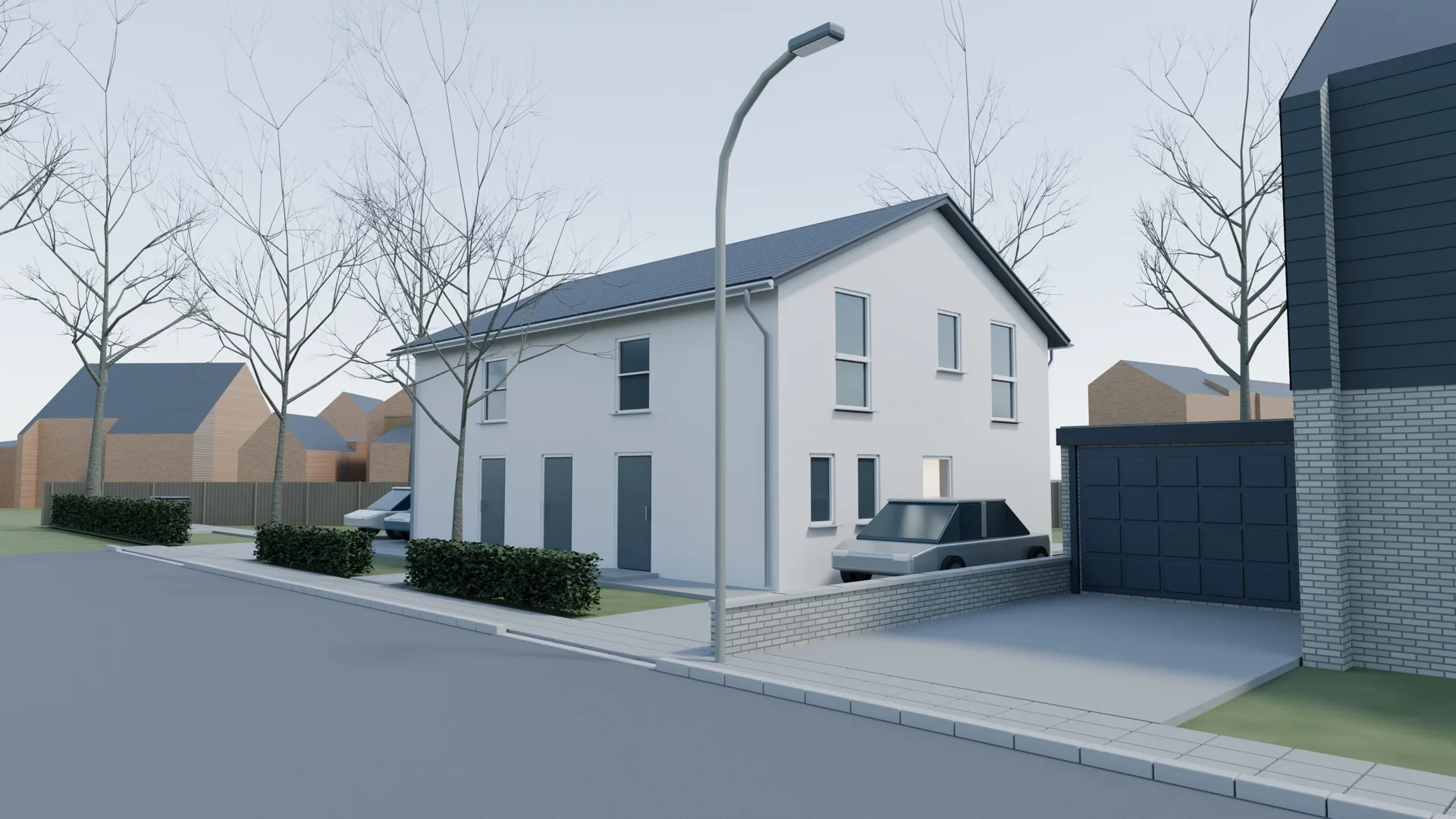
AI & Rendering | A House Made of Python: From Floor Plan to 3D Scene with a Coding Agent
I had never built a 3D model. A coding agent turned floor plans and open geodata into an editable Blender scene. Part 1: the setup, the checks, the mistakes.
We are planning a semi-detached house on a corner plot in a small German town. There are old trees on the plot, and one of them stands where the house has to go. That leads to a simple question I have to answer for other people: what does this house look like on this plot once that one tree is gone and all the others stay?
Floor plans and a site plan at a scale of 1:250 do not get that across. I still would never have commissioned a professional visualization for a private project. The benefit was not worth the cost to me.
Before this project I had never built a 3D model. I may have opened Blender once as a kid to modify a game. A week later, I had an editable scene with the house, the plot and the neighborhood, ten presentation images, a camera walkthrough, and finally seven exterior images I am very happy with.
This is the first of three parts: the setup. Part 2 covers the path from a correct model to a good image, Part 3 the working method behind it.
One caveat up front. This is a private project, a weekend project on my laptop. I still find it exciting how much is possible this way.
The first attempt failed on geometry
The obvious route was an image model. I took a plain photo of the plot and had ChatGPT’s image generation place a house in it, with two elevation drawings as reference and a description.
The result looked plausible at first glance and was wrong in almost every respect. It started with the trees. They stood at the wrong corners of the plot, so the attempt had already failed before the house even came into it. The house itself was rotated by more than 90 degrees, so the garden side with the patio doors faced the street.
For my question that is worthless. Anyone who wants to judge how a building sits among seven trees needs distances, heights and compass directions that are correct.
The conclusion went into the briefing for the next attempt: the geometry has to be controlled explicitly. The house is constructed as a 3D body from the plan dimensions, and only then does it become an image.
Why Blender
I asked Codex, a coding agent from OpenAI that was running the GPT-Astra model. A coding agent is an AI system that writes programs itself, runs them and checks the result. My question was which tool would work locally on a Mac for a visualization like this. My only condition was that an agent could work with it well. The idea came from Alejandro Saucedo, who had shown a 3D experiment with the same model shortly before.
A question like that is almost always the best first step. If you do not know how to solve a problem, find out the state of the art first. Someone has very likely had a similar problem before. You rarely have to solve one that is entirely new.
The recommendation was Blender. It is a free 3D application that can create a model and render images from it. Its Python interface lets an agent control geometry, materials, cameras and lighting through code, and run the same steps again. To a coding agent, that makes a house a program. That plays to its strengths, because if language models are good at one thing, it is coding. The agent writes code, runs it, looks at the rendered image and corrects the code.
I had shown the agent a post that recommended simply letting the model spend four to six hours authoring assets, meaning ready-made 3D models and materials. The reply was matter-of-fact: time alone does not establish quality. What was needed was a concrete briefing, a comparison against the plans, and visual tests. A few minutes later it wrote:
That visual feedback loop is what makes the workflow useful: successful code execution alone doesn’t mean the building looks right.
Setup took a quarter of an hour. After that the agent worked in the background: nothing happened in my open Blender window, and the model was built in another process.
That is perfectly fine with me. It is what I have become used to in programming. I am no longer interested in the underlying code. It has become a side issue, and the result is what counts.
The briefing
Before the agent wrote a line of Blender code, it received a briefing as a file. It had seven sections:
- Goal. What the image is for and what it should say: a modest white house, one tree gone, all others remain.
- Tech stack. Free choice, but with the finding from the failed attempt: control the geometry explicitly.
- The house. Binding facts from the plans: building dimensions and roof slope, facade material, number and position of the solar modules, and the position of the three entrances.
- The plot. Shape, position relative to the street, setbacks, tree positions with trunk and crown diameters from the survey.
- Material inventory. Every file with its path: floor plans, four elevations, a section, the site plan, meeting notes, five site photos.
- Rules. No paid image generation, nothing leaves the machine.
- First tasks. Establish the orientation, map the photos to their positions, present a data and work plan, ask open questions. Then stop.
The last point was the most important. The agent was to complete four preparatory tasks and then wait for my approval. With that stop rule I wanted to keep it from modeling right away and filling gaps with its own assumptions.
What came back instead was a list of contradictions that were sitting in my own documents. Two plans gave different setbacks from the street, four meters in one and three in the other. The roofing material was not documented anywhere. I decided each question individually.
One of my follow-up questions set the standard for everything after. I wanted to know whether it already had the correct measurements from the planning files and therefore needed no approximations at all. The answer distinguished dimensions taken from the plans from estimates. The building dimensions come from the plan and are not estimated. Estimates are used only where the documents say nothing, and every estimate is marked as one.
Open geodata for the neighborhood
A house in empty space does not answer my question. The image needs the real neighborhood.
Our German state publishes a surprising amount of this as open data. The agent used the digital parcel boundary from the land register, official aerial imagery and 3D building models with height and roof shape. The plot boundary in the model is therefore the official boundary and not a tracing of a photographed plan. A quarter of an hour after my approval the first render existed, and the agent itself called it unfit to present.
Checks as code
At this point I asked the agent to use code to check the model against the drawings in the planning files, so that all windows and outdoor areas would be correct too.
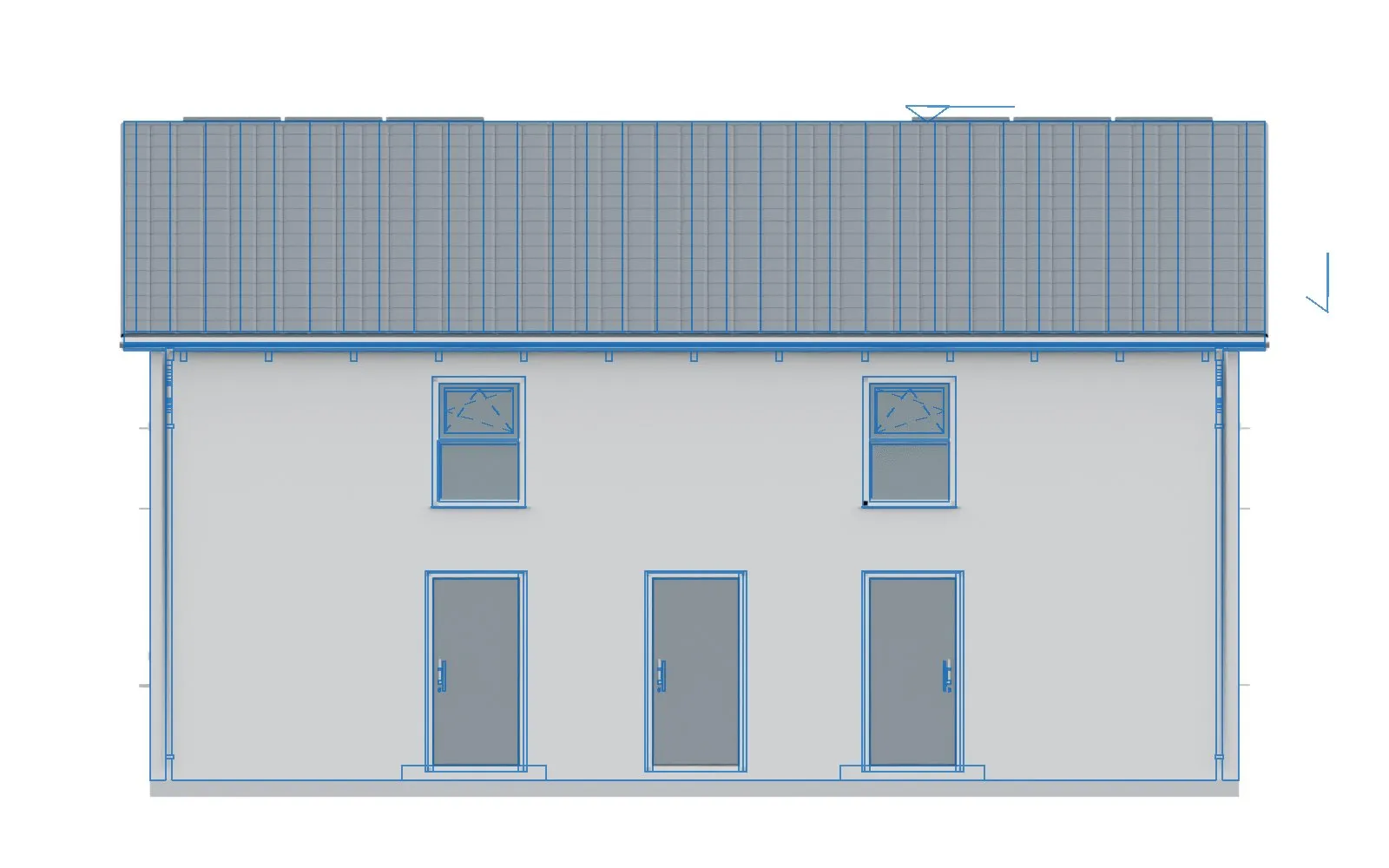
The agent then wrote check scripts that compare the model with the geometry in the plan PDFs. The first run found real errors. Entrances and windows sat a few centimeters too high. The cause was a reference error I would never have found myself: the PDF elevations measured from the structural slab, meaning the bare concrete floor, while the model measured from the finished floor on top of it.
After the correction, all 23 windows and doors in the facades passed the comparison, with a largest deviation of 8.1 millimeters from the line work in the PDF. The agent also laid the rendered elevation semi-transparently over the plan drawing. These overlays found two errors that no dimension test shows: overlapping wall faces at the building corners, and a roof surface with its outward-facing side turned inward.
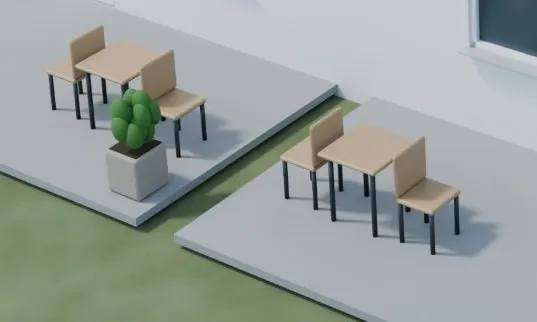
That pattern ran through the whole project. Errors that showed up in an image were turned into checks afterward. After furniture had floated above the patio, the agent added a ground contact check. A camera stood inside a neighboring building and delivered a black image, and since then a script checks every rendered frame for black. When all four patio chairs stood with their backs to the table, a check was added that measures the orientation of each chair relative to its table. Later, before every larger rebuild, the agent compared several thousand protected objects with a reference state, so that a change to the lawn could not move a window unnoticed.
That is the real advantage of the approach. Code is repeatable and verifiable. The same check runs again after every change and gives an unambiguous result.
Image critique by screenshot
My steering in this phase consisted almost entirely of screenshots with a few sentences in everyday language. I typed none of those sentences. I dictated everything with Wispr Flow, a dictation app. In German, the speech recognition liked to turn “Render” into “Ränder”, the word for edges. The agents understood it every time.
In the image at the very top, the driveways end before the sidewalk. My comment was that the paving has to reach down to the sidewalk because cars drive there.
I also contradicted myself along the way. First I wanted the hedge in front of the house removed. Three messages later, I wanted to keep it after all. There was no factual reason, I simply liked it better with the hedge. The agent implemented both without comment. The correction took a few minutes.
The shortest feedback of the project came on the second morning and worked immediately. A screenshot of the patio and one sentence: the chairs are the wrong way around. Four chairs, four errors. Consistent, at least. No human would ever have set up a patio like that, except perhaps someone unhappy in their relationship. An agent does not care.
The walkthrough
On the second day I wanted a camera move through the scene. I had no quality ambitions for it. I wanted to see whether it worked, and to show the result on LinkedIn.
The agent planned six moves and extrapolated after the first test frame: around nine hours of render time. Nine hours for images of that quality was absurd. Why make the effort when the model looks that bad? When I asked why so long, the honest answer was that it had chosen quality settings without measuring the total runtime first. With a lower resolution and measured times per frame, nine hours became 40 to 50 minutes.
The advantage of a scene shows in the image that answers my original question most directly. A top-down view shows the tree crowns at the diameters recorded in the survey: the remaining trees in green and the tree within the building footprint in red. You cannot derive that from a generated image. In a scene it takes one more camera and a short script.
What went wrong
The error list for the first four days has 28 entries. Two of them:
- The bicycle area and its path extended beyond the plot boundary.
- A cleanup script hid the finished images, so my Finder showed an empty folder.
What stands out is how the errors were found. The agent found most of them itself, by looking at a rendering or through one of its checks. I saw the rest in an image. In none of these cases did a script completing without an error message mean that the result was correct.
The first presentable state
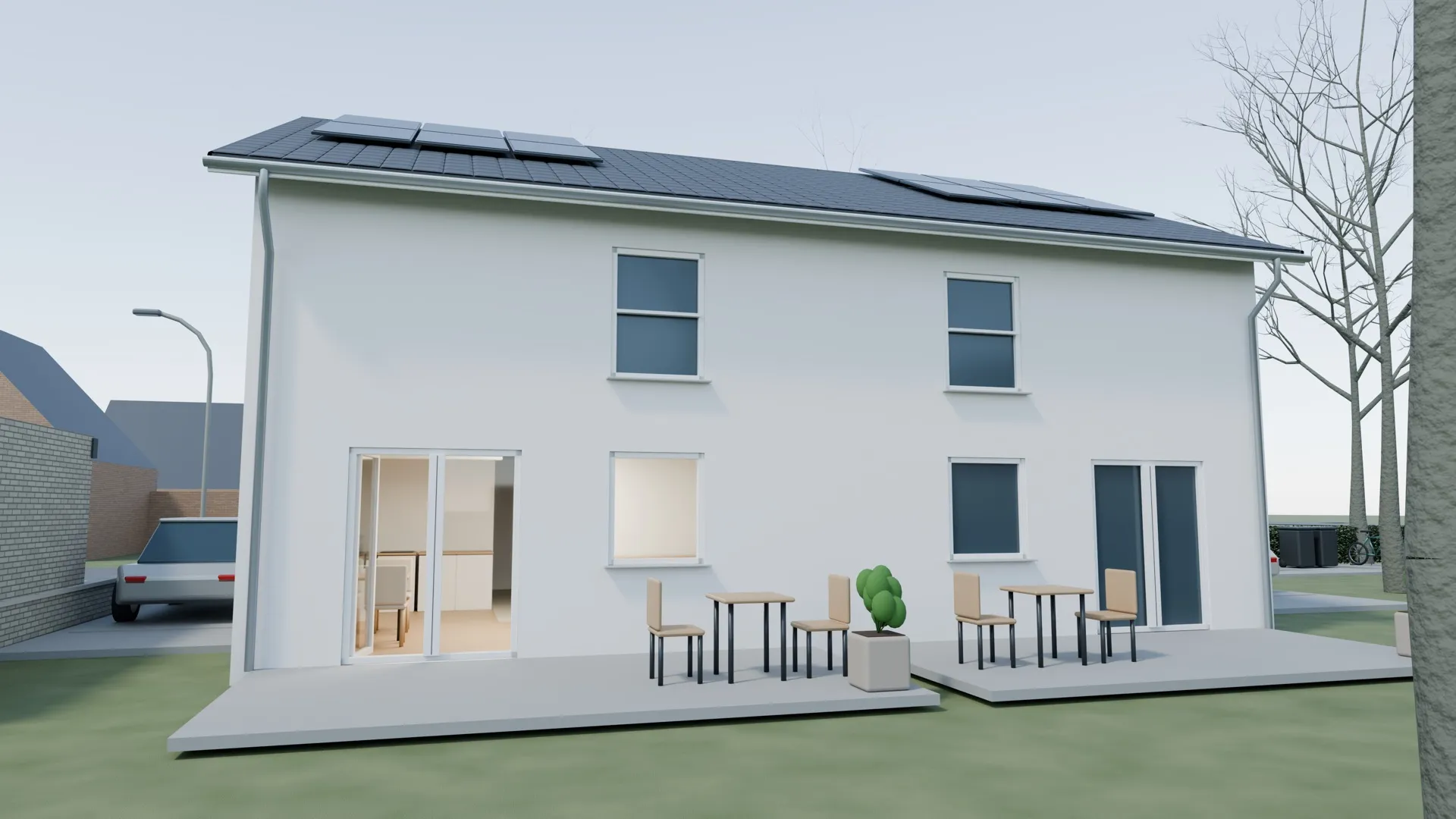
According to the logs, the agent’s active working time was a little over six hours, spread across three days. The first presentable state came together in half an afternoon.
That answered my question. I could see how the house sits among the trees, from the air, from the street and from the garden.
For me the project was essentially done at this point. The quality matched what I know from typical real estate renderings: slapped onto a site hoarding without any care, where you can then look at them for years because the development is not moving.
For a similar project, I would start with geometry constructed from the plan dimensions, a briefing that distinguishes facts from assumptions, and an explicit pause for questions. Then I would ask for checks as code, look at every image anyway, and benchmark rendering before committing to a long run.
I showed the camera walkthrough on LinkedIn. The reactions from the visualization industry, from architects and from the construction industry were blunt. One 3D artist wrote “greetings from 1990”. Others called the result pointless, embarrassing and meager, and told me to spare everyone’s feed. Some of that criticism was hostile and way out of line in tone.
About the image quality, they were right. The checked dimensions were right, but the images looked bad. And I know no better motivation than “the result is crap, do it better”. My goal had long been reached, so everything after that was a bonus for me. It turned into a roller coaster ride through 3D modeling with AI. That is what Part 2 is about.

Facing a complex problem? Before any code, a conversation. No pitch, no commitment.
Book a call